
Your cart is currently empty!
Gizmo’s Tech Tuesday: Easy Ways to Protect Your Devices
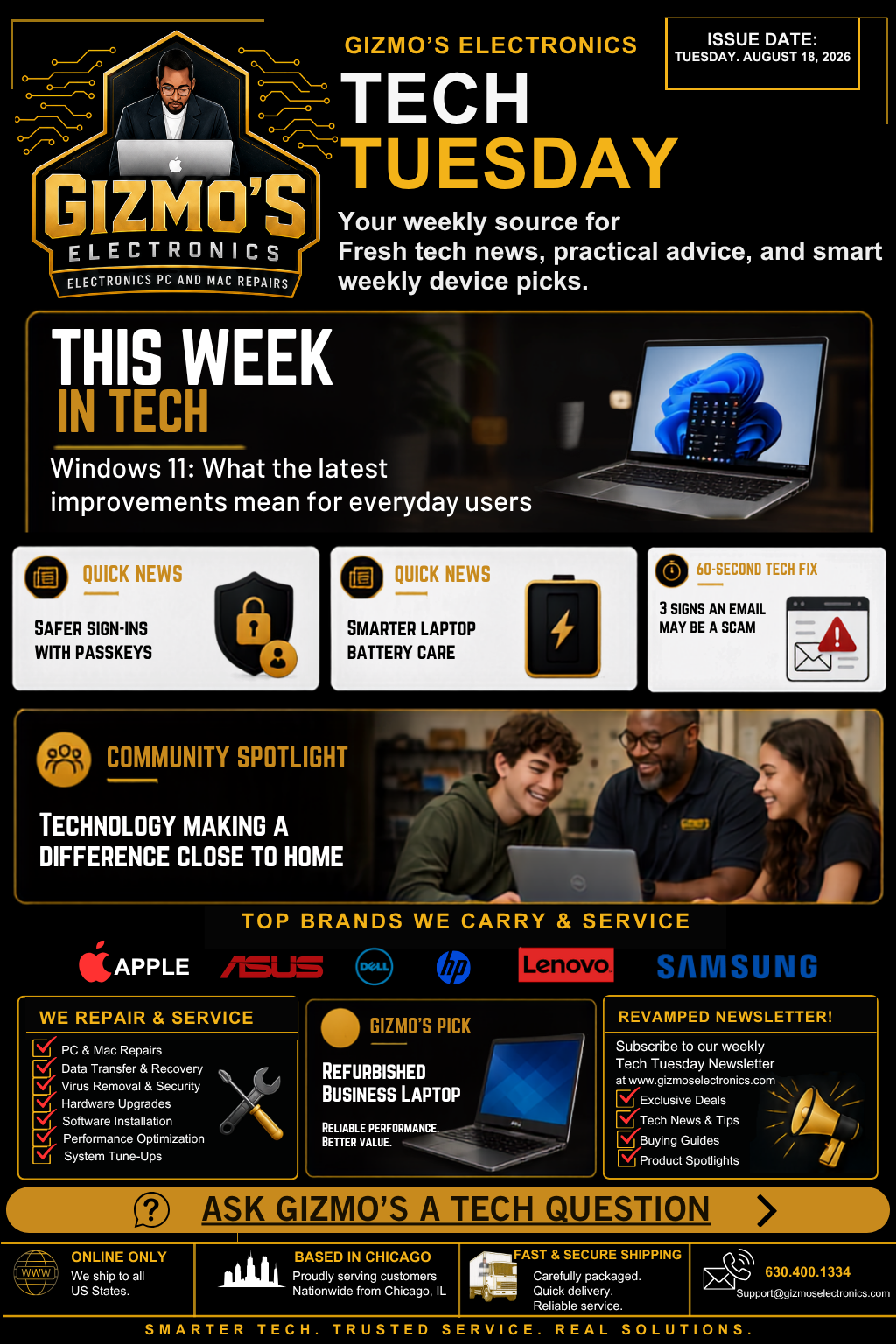
Welcome to August 18th, Tech Tuesday! We’re covering Windows 11 improvements, safer sign-ins, better battery habits, scam protection, community technology, and our latest refurbished laptop pick. Choose a story below or read the complete issue.
Choose Your Story
- Windows 11 Gets Smarter
- Are Passkeys Replacing Passwords?
- Help Your Laptop Battery Last Longer
- Spot a Scam Email
- Community Spotlight
- Gizmo’s Laptop Pick
- Ask Gizmo’s
This Week in Tech: Windows 11 Gets Smarter
The latest Windows 11 updates focus on security, reliability, and fewer interruptions. Depending on your computer, you may notice faster File Explorer performance, improved accessibility tools, stronger security, and a smoother Windows Update experience.
Try It..Press the Windows key, type winver, and press Enter. You’ll see exactly which Windows version your computer is running.
Quick Poll:
What frustrates you most about Windows updates? Long installations, surprise restarts, failed updates, or a slower computer afterward?
Leave your answer in the comments.
Updating your computer is one way to stay protected. Improving how you sign in is another. Next, let’s look at passkeys.
Passwords May Be on the Way Out
Passkeys let you sign in using your fingerprint, face, device PIN, or screen lock instead of a traditional password.
They are easier to use and harder for scammers to steal through fake websites.
Have you used a passkey?
Yes, and I love it
Yes, but I am confused
Not yet, I still want my password
Passkeys improve security, but you should still lock your device and never approve a sign-in request you did not start.
Now that your account is better protected, let’s give the device itself some attention. How healthy is your laptop battery?
Help Your Laptop Battery Last Longer
Does your battery go from 50 percent to panic mode in ten minutes?
Try these simple habits:
Keep your laptop away from heat
Use the correct charger
Keep the vents clear
Use it on a hard surface
Lower unnecessary screen brightness
Turn on battery care or smart charging, if available
A fast-draining battery may be worn out, but background apps and power settings can also be responsible. A battery check can reveal the real problem.
Battery Challenge: How many of these habits do you already follow?
A healthy laptop is important, but safe browsing matters too. Can you recognize a scam email before clicking it?
Spot a Scam Email
Before clicking an unexpected email, check for these three warning signs:
It creates panic or extreme urgency.
The sender’s address looks unusual.It asks for a password, payment, gift card, or verification code.
If you are unsure, do not use the links or phone numbers inside the message. Open the company’s official app or type its website address yourself.
True or False: A company representative may need the verification code sent to your phone.
Answer: False. That code is a key to your account. Never share it with someone who unexpectedly contacts you.
Technology is not only about avoiding problems. It can also create opportunities and strengthen communities.
Community Spotlight: Technology Close to Home
A dependable computer can help someone finish schoolwork, apply for a job, learn a new skill, or grow a small business.
Repairing and refurbishing computers can also make technology more affordable while keeping useful electronics out of landfills.
Know a local person or organization using technology to make a difference?
Send us their name, what they do, and why they deserve recognition. They could appear in a future Community Spotlight!
Refurbished Business Laptop
This week’s pick is a professionally refurbished business laptop.
These laptops are often built for dependable daily use and can be a smart choice for school, remote work, email, video calls, office applications, and everyday browsing.
Which Laptop User Are You?
A. Everyday User: Email, shopping, browsing, and video calls
B. Student: Research, assignments, and portability
C. Business User: Multitasking and dependable performance
D. Power User: More memory, storage, and speed
Comment with A, B, C, or D. Add your budget, and we’ll help point you in the right direction.
Need dependable technology of your own? This week’s Gizmo’s Pick may be a good place to start.
Ask Gizmo’s
What technology problem has you completely stumped?
Ask us about computers, upgrades, online security, data recovery, Wi-Fi, device shopping, or that strange thing your laptop keeps doing.
Leave your question under our Facebook Tech Tuesday post. It may be featured in our next issue!
Need Tech Help
Gizmo’s Electronics provides PC and Mac repairs, data recovery, virus removal, hardware upgrades, software installation, performance optimization, and system tune-ups.
Call: 630-400-1334
Email: Support@gizmoselectronics.com
Visit: www.gizmoselectronics.com